JNotes: Private Notes & Vault
Private notes, kept on your phone.
A calm, private place for your notes. Everything stays on your phone, works offline, and there's no account to create. Open the app and start writing.
Get it onGoogle Play- Free
- No ads
- No account needed
- Works offline
Private by design
Your notes are yours. Nobody else reads them.
-
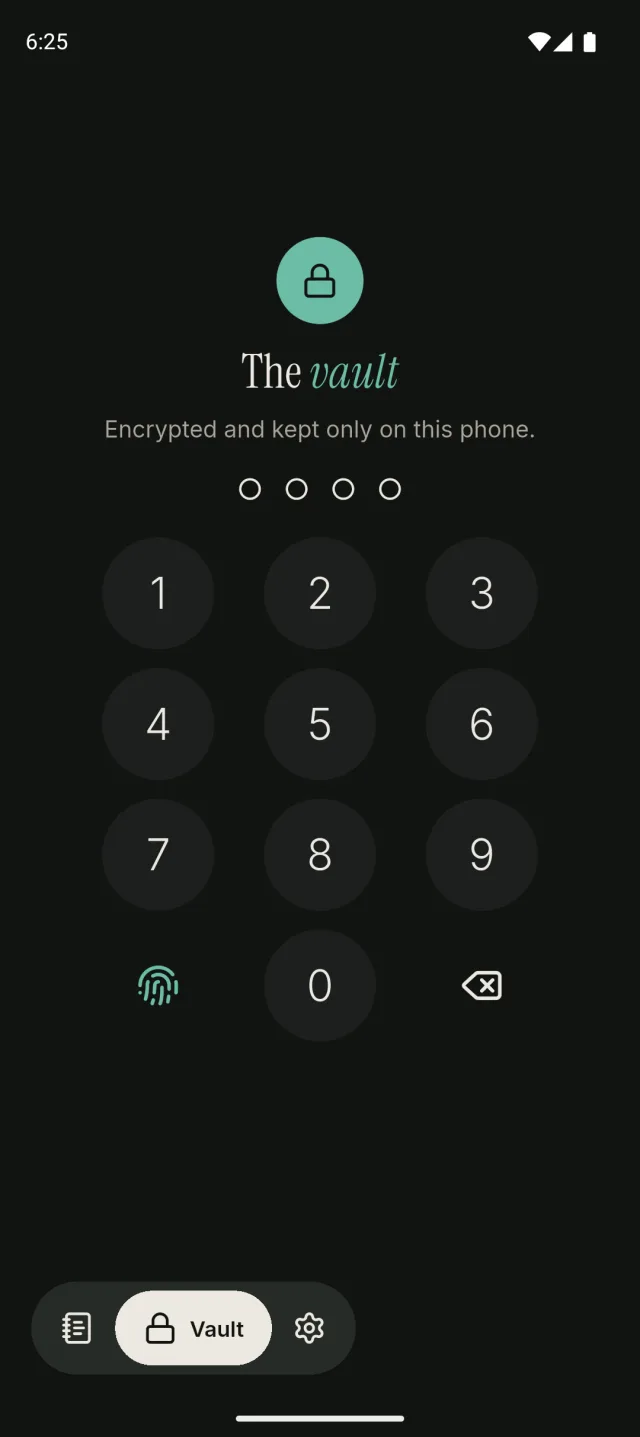
An encrypted Vault
Lock any note. It's encrypted on your phone and opens only with your passcode.
-
Out of sight
Locked notes show only in the Vault: never on Home, in search, in notifications or in the widget.
-
No account needed
Notes live on your phone. Sign in only if you want online backup.
-
End-to-end encrypted backups
Encrypted with a passphrase only you know. Not even we can read them.
-
No ads
Your notes are never sold or shared.
-
Leave any time
Export your notes, or delete your account and its backups from the app.
Capture
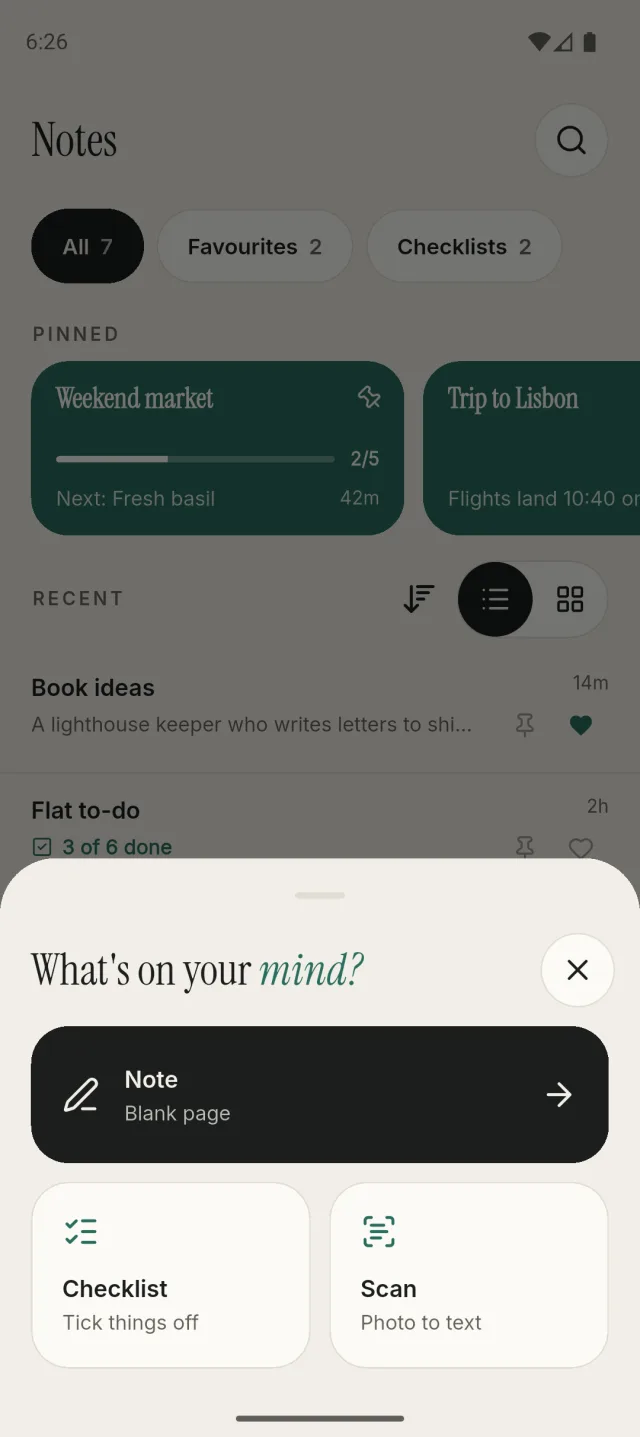
What's on your mind?
Start a note, a checklist or a scan from one sheet. JNotes saves as you type.
- Scan turns a photo of a page into text, right on your phone
- Text shared from other apps opens as a new note
- A home-screen widget and app shortcuts start a note in one tap
Checklists
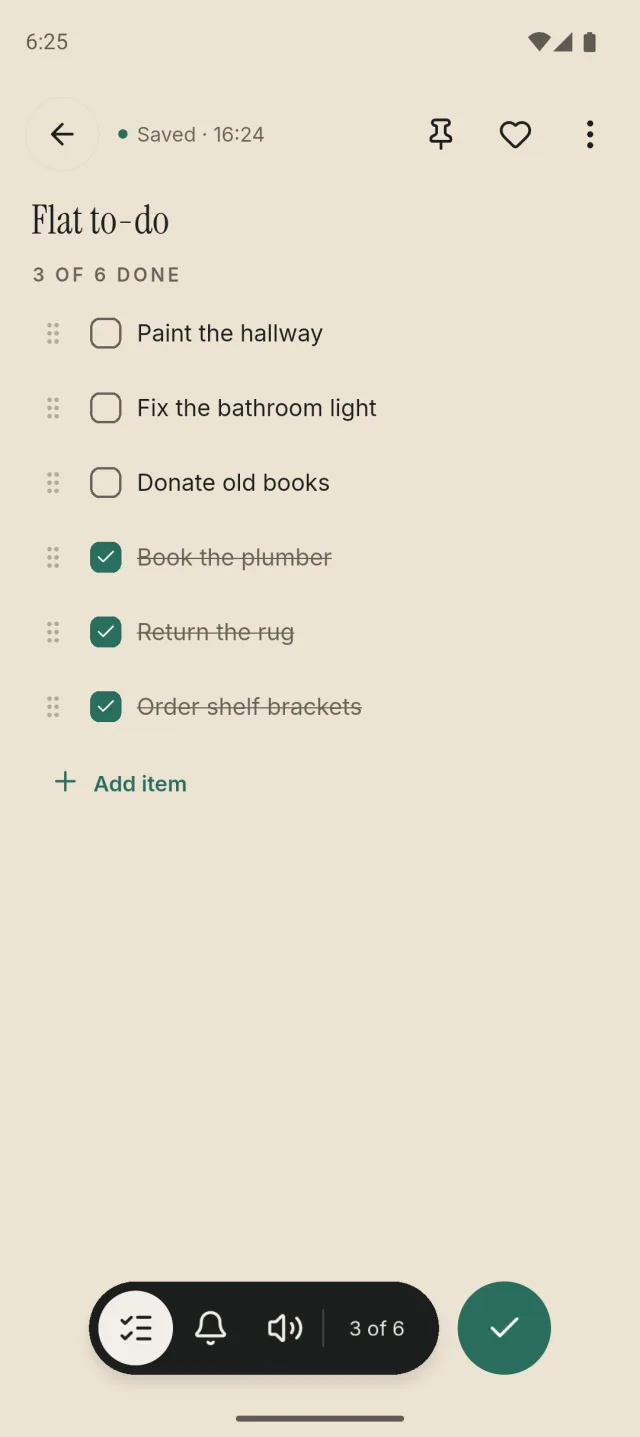
Tick it off, move on.
Ticked items slide out of the way, and you can drag to reorder. Turn any note into a checklist and back.
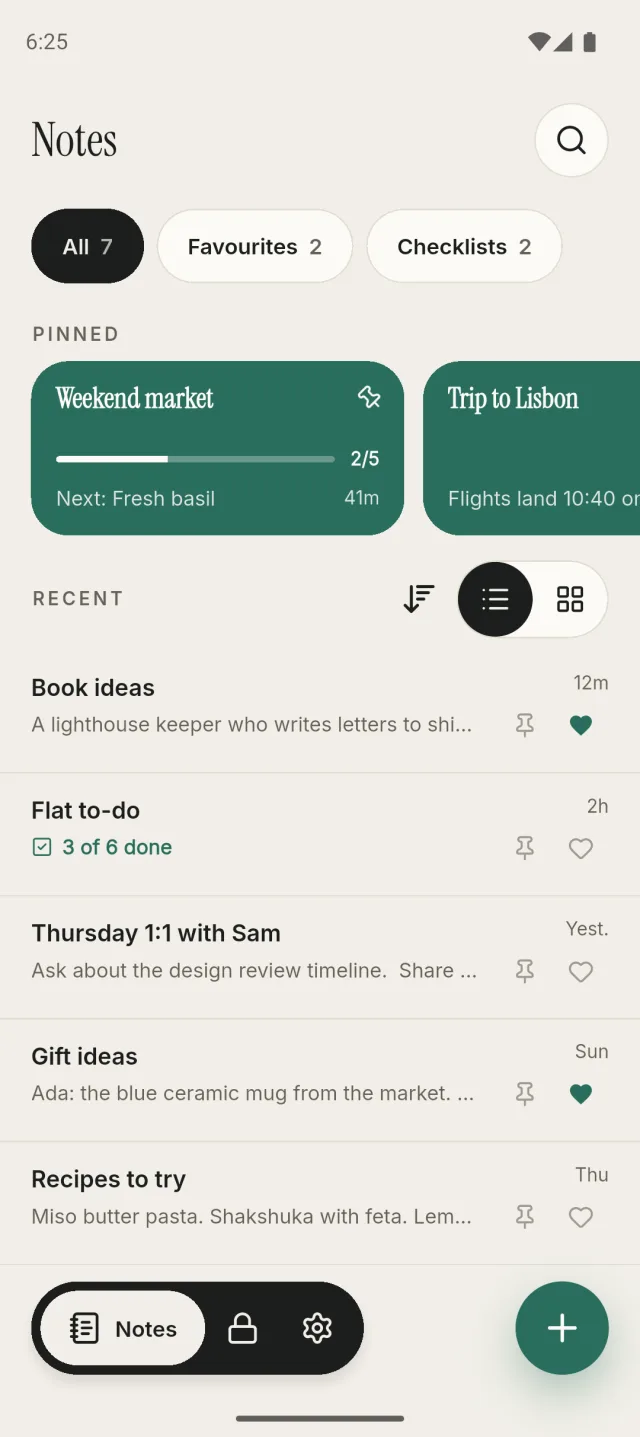
- Progress at a glance on Home
- Pin the lists you need most
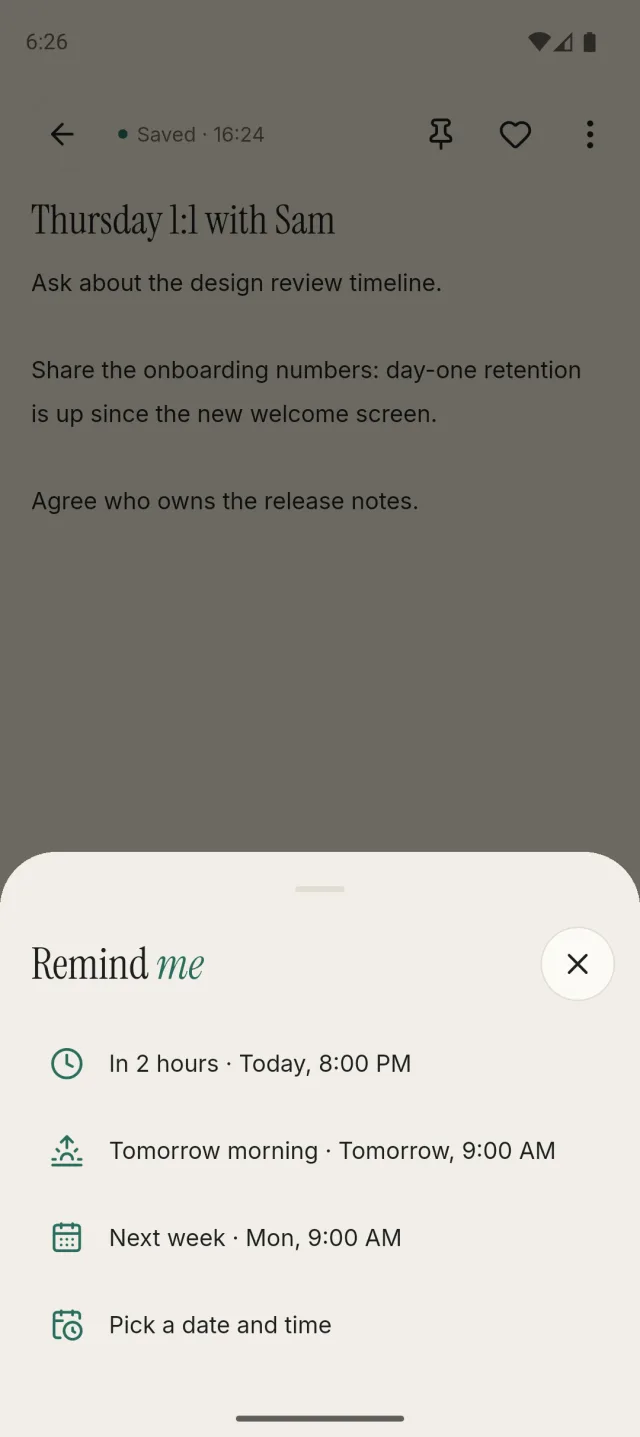
Reminders
A nudge at the right time.
This evening, tomorrow morning, next week, or any time you pick.
- Scheduled on your phone, no account needed
- A locked note's reminder never shows its text
Vault
Some notes are just for you.
Locked notes are encrypted and kept only on this phone. They stay inside the Vault, and it locks again a minute after you leave.
- Opens with your 4-digit passcode
- Fingerprint unlock with JNotes PRO
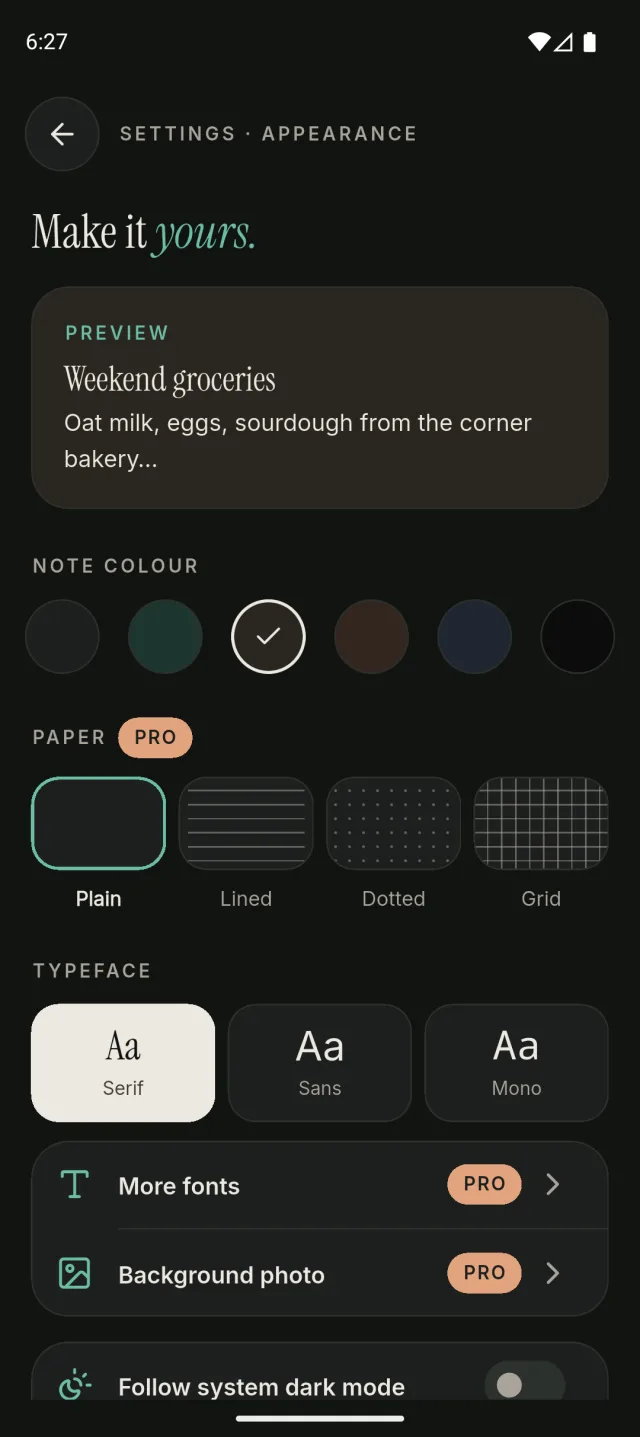
Appearance
Make it yours.
Note colours, light and dark mode, and a choice of serif, sans or mono text. Dark mode can follow your phone.
- Six calm note colours
- On tablets, your notes and the editor sit side by side
And the everyday things
Small touches that add up.
-
Pins and favourites
Pin the notes you need most and favourite the ones you love.
-
Search and sort
Find notes by title or text. List or grid, sorted by date or title.
-
Widget and shortcuts
Your pinned and recent notes on the home screen, plus a new note in one tap.
-
Read aloud
Listen to any note.
-
Share and PDF
Share any note, or export it as a PDF.
-
Back up and restore
Optional. Restore on a new phone without duplicates.
One purchase, no subscription.
Everything above is free. JNotes PRO adds a few extras for people who live in their notes.
- 1,800+ Google fontsFor note titles and text
- Lined, dotted and grid paper3 styles
- Your own background photoBehind your notes
- Fingerprint unlockFor the Vault

Start writing.
Free on Android. No account, no ads.
Get it onGoogle Play